Lightleap by Lightricks
- 4.0
- Rating
- 10.00M
- Installs
- Free
- Price

 Analysis by App-foxy
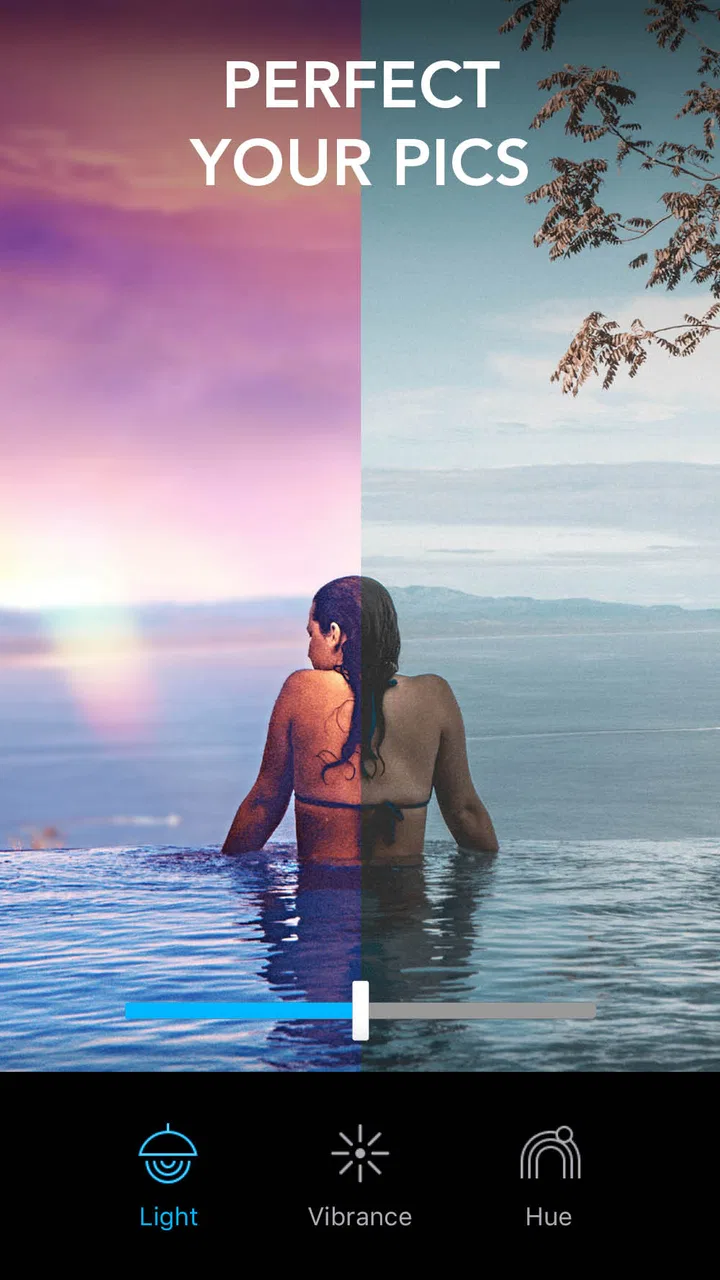
I like photo editors that let me improve a picture without turning the process into a small design project. Lightleap, from Lightricks Ltd., fits that preference surprisingly well. It is a free photography app for Android, aimed at quick retouching, sharpening, blurring, gradients, presets, filters, and effects. After spending time with it, I see it as a fast creative editor rather than a complete replacement for a serious desktop workflow.
The appeal is immediate: you can start with an ordinary photo, try a visual direction quickly, and then refine the result instead of building every effect from scratch. That makes it useful for social posts, travel photos, casual portraits, and pictures that need a little atmosphere. The trade-off is that its strongest tools encourage experimentation, while users looking for precise layer-based control may find the experience more limited than a full professional editor.
How Lightleap feels in its current form
The app is currently listed as version 1.6.1 and supports Android 8.0 and later. That makes it practical for people using older phones as well as newer devices. It has reached over ten million installs, with an average rating of four stars from roughly sixty-seven thousand ratings, so it is clearly not an obscure experiment. I would still treat those figures as a sign of broad interest rather than proof that every photographer will enjoy the workflow.
You May Also Like

 Blood Strike: 2.5 Anniversary
Blood Strike’s Loadouts Turn Every Drop Into a Tactical Gamble
A close look at Blood Strike’s custom loadouts: how fast access to signature weapons reshapes its battle royale rhythm, rewards preparation, and narrows the gap between fights.

 Pandora - Music & Podcasts
Pandora’s Music Is Easy to Start, but Harder to Recover
Pandora’s strength is its low-effort path from a seed to a station. Its weak spot is how much confidence it asks you to place in connection, setup, and quiet recovery.

 8 Ball Pool
 Is Built on Rivalries, Rematches, and Routine
A close look at the rivalries, rematches, shared routines, and unanswered safety questions that turn a quick pool match into a persistent mobile community.

 Samsung Music
’s Quiet Strength Is Playing What You Already Own
Its reach comes less from spectacle than from dependable access to a personal library. That simplicity is both the app’s strongest retention engine and its ceiling.

 AccuWeather: Weather Radar
AccuWeather Review: A Quick, Clear Forecast for Everyday Decisions
For everyday plans, the best forecast is the one you can understand quickly. AccuWeather makes rain timing, radar, and local conditions easy to act on, with a few trade-offs.

 Hill Climb Racing
Why Hill Climb Racing Still Turns Crashes Into One More Run
A tiny car, a bumpy hill and one more upgrade: Hill Climb Racing keeps resurfacing because its simple chaos makes every near-miss feel personal.
More From Our News Desk



Lightleap’s main strength is speed. Instead of forcing me to learn a complicated editing vocabulary, it presents a collection of visual treatments that are easy to test. I can move from a natural-looking correction to something more dramatic in a few moments. The app is particularly comfortable when I already know the mood I want: soft, bright, cinematic, dreamy, or more attention-grabbing.
That simplicity also shapes its limits. A quick preset can make a dull image feel finished, but it can also flatten the individual character of a photo if I accept the first attractive result. I found the best results came from using the preset as a starting point, then reducing its intensity and correcting the parts that became too strong. Lightleap rewards restraint more than constant stacking of effects.
The interface makes sense for casual editing, although the number of creative possibilities can still become distracting. When several treatments look appealing, it is easy to lose sight of the original goal. I recommend keeping the unedited image in mind and asking whether the subject is clearer, more flattering, or simply louder. That small check prevents the common problem of mistaking a stronger effect for a better photograph.
What the editing tools are genuinely good at
Retouching is useful when a picture has a small distraction that pulls attention away from the subject. I would use it for a temporary blemish, an unwanted mark, or a minor background detail rather than attempting a complicated reconstruction. The tool is most convincing when the surrounding texture is simple. On patterned surfaces, hair, or crowded scenes, careful zooming and a lighter touch matter much more.
Sharpening is another feature that needs moderation. It can give a slightly soft image more presence, especially when the subject has clear edges. However, sharpening cannot recover detail that was never captured, and pushing it too far can make skin, foliage, and fine textures look harsh. My practical approach is to sharpen after choosing the crop and overall look, not before. Otherwise, later changes can make the image appear more processed than intended.
The blur controls are useful for directing attention. A gentle blur around a person, object, or foreground can create separation when the original camera did not produce enough depth. This is more convincing when the transition follows the scene’s natural perspective. A uniform blur across the wrong area looks artificial, so I prefer building the effect gradually and checking the edges at normal viewing size rather than judging only while zoomed in.
Gradients are where the app becomes more than a basic correction tool. A subtle color or light shift can make an empty sky, plain wall, or dark corner feel intentional. I found this especially helpful for photos that were technically acceptable but visually flat. The important trade-off is that a gradient can change the perceived color of skin or clothing if it crosses the subject. Placing it with the composition in mind is more valuable than choosing the most striking color.
Presets, filters, and effects are best treated as a visual search tool. They help me discover a direction faster than adjusting every parameter individually. Once I find a promising look, I can use it as a reference for what the photo needs: more warmth, less contrast, softer highlights, or a stronger separation between subject and background. That workflow is more reliable than applying several unrelated effects simply because they are available.
A realistic everyday workflow
Imagine I take a quick photo of a friend at an outdoor café. The composition is good, but the background is busy, the face looks slightly soft, and the afternoon light feels dull. I would first choose a crop that gives the subject breathing room. Next, I would try a restrained preset to establish the mood, then lower the visual intensity if the skin tones become unnatural.
After that, I would use a small amount of retouching only where the background competes with the face. A carefully placed blur could soften a distracting sign or passerby, but I would avoid blurring the entire background equally because that would make the edit obvious. Finally, I would add a very gentle gradient to support the direction of the light and sharpen the subject only enough to restore clarity.
This sequence matters because it separates structural decisions from decoration. Cropping and subject placement should come first; effects should support them rather than disguise weak framing. Lightleap makes this kind of quick sequence accessible, and the result can look polished without requiring a long editing session. It is also a good reason not to judge an effect in isolation: a filter that looks excessive on the original may work after the crop and local adjustments are settled.
For travel photos, I would use the app differently. A landscape often benefits from a gradient that gives the sky more character, while sharpening can help architecture and distant details. I would be cautious with heavy color effects, though, because they can make natural scenes look less believable. If the goal is to remember a place accurately, subtle corrections are more valuable than a dramatic preset.
Where it compares well with familiar alternatives
Compared with a basic phone gallery editor, Lightleap offers a more deliberate creative direction. A standard gallery tool is often better for quick exposure, rotation, or cropping, but it may not encourage the same kind of mood-building. Lightleap is the better choice when I want the image to feel designed rather than merely corrected.
Compared with a full professional editor, the balance changes. A desktop application or advanced mobile editor is usually preferable when I need exact selections, detailed masking, repeatable adjustments, or a carefully managed project with many elements. Lightleap is faster to approach and less intimidating, but that convenience comes from accepting a more guided, effect-focused workflow.
It also occupies a different space from a social network’s built-in filters. Those filters are convenient when I am already posting, but Lightleap gives me a separate place to prepare an image before deciding where it belongs. That separation is useful when I want to save a clean edited version or compare several creative directions without committing immediately to a post.
For someone who edits only occasional snapshots, this app may be more approachable than a feature-heavy alternative. For a photographer who needs consistent color across a large collection, it is less convincing as a primary tool. The distinction is not about which app has more buttons; it is about whether the job is quick visual interpretation or controlled image production.
What changed and how existing users may notice it
The visible product context is its current version, 1.6.1, following its release on July 5, 2020. That tells me Lightleap has an established presence rather than being a brand-new launch. It is reasonable to evaluate it as a mature, focused editing app: the core experience is built around making a photo look different quickly, not around constantly expanding into every possible photography task.
For existing users, a version number is most useful as a reference point when checking compatibility and deciding whether the app fits an older device. Since Android 8.0 is the minimum operating system, people with older phones should verify their system before planning a workflow around it. On a supported phone, the more important question is not whether it replaces every other editor, but whether its particular combination of guided effects and manual refinement saves time.
I would also keep expectations realistic about product evolution. A later version number can indicate ongoing maintenance, but it does not by itself promise a specific new tool or a major redesign. What I can judge confidently is the app’s present identity: quick creative editing with enough adjustment to keep presets from becoming completely one-click and generic.
That identity is good news for users who already like the app’s style. They can continue using it as a rapid finishing stage after taking a photo. It is less reassuring for people waiting for a highly technical editing environment, because the app’s value comes from focus and approachability rather than from trying to become a complete studio.
Small techniques that improve the results
One useful habit is to make a duplicate of the original photo before experimenting. Creative effects are easy to overdo, and keeping the untouched version available makes comparison much easier. I like to check the edited image both full-screen and as a small thumbnail. An effect that seems impressive when enlarged may overwhelm the composition when viewed at the size most people will actually see.
Another technique is to edit in passes. I would first establish the overall mood with a preset or filter, then address local distractions with retouching or blur, and only afterward consider a gradient or finishing effect. This order prevents local fixes from being buried under a later global treatment. It also makes it easier to identify which change caused a problem.
A third insight is to use blur for hierarchy, not just imitation of camera depth. The goal is not necessarily to make the background look like it came from a wide-aperture lens. It can simply make the viewer notice the intended subject first. That approach works for food, products, pets, and street details, where a small amount of separation can be more believable than an aggressive portrait-style effect.
When using retouching, I would avoid making the subject perfectly smooth. A little texture usually looks more natural than a spotless surface, especially in close portraits. The app can help remove a distraction, but it should not erase every detail that makes the person look real. This is one area where a quick zoomed-out review is essential.
Finally, I would save the strongest effects for images that can support them. A simple sky, silhouette, or architectural frame may benefit from a bold treatment, while a family photo with several faces usually needs consistency and restraint. Lightleap is expressive, but not every picture needs to advertise the editing process.
Remaining gaps and who should skip it
The biggest limitation is the gap between fast creativity and deep control. If I need a precise, repeatable result across many images, I would choose a more technical editor. Lightleap can help me arrive at a pleasing look quickly, but it is not the tool I would rely on for professional catalog work, complex composites, or detailed color management.
I would also skip it if my main goal is simply to correct exposure and crop photos in the shortest possible way. The phone’s built-in editor may be enough for those tasks, and adding a separate app would not necessarily improve the result. Lightleap earns its place when I want atmosphere, selective attention, or a more noticeable visual interpretation.
The free entry point is attractive, but users should pay attention to the in-app purchase model. Optional items range from nineteen cents to seventy-nine dollars and ninety-nine cents per item. That wide range means the basic download is not the whole financial picture, especially for someone who wants to explore every creative option. I would begin with the free experience and decide whether the included tools already solve my needs before spending anything.
The Everyone content rating makes the app approachable for a broad audience, including casual family use. That does not mean every editing decision is automatically suitable for every context. Parents, students, and social users still need to think about where edited images are shared and whether a dramatic effect changes the meaning of the original moment.
Another practical limitation is creative consistency. Presets can make separate photos feel related, but they can also produce uneven results when the lighting or subject changes. If I am preparing a small series, I would apply the same general direction and then adjust each image individually rather than expecting one treatment to work equally well everywhere.
What I would watch before committing to it
Future users should watch how well the app continues to balance guided creativity with meaningful control. More effects would not automatically make it better. The most valuable improvements would be the ones that make selective editing clearer, preserve natural-looking results, and help users understand what a change is doing before they apply it strongly.
I would also pay attention to how the current version behaves on different supported Android devices. The minimum system requirement is useful, but editing comfort can still vary with screen size, performance, and available storage. Anyone using an older phone should test a normal photo workflow before planning a large batch of edits.
Another point worth watching is the relationship between the free tools and the paid items. Since Lightleap is free to install but includes purchases, the best experience depends on whether the features available without spending are enough for your style. I prefer apps that let me understand their creative direction first, and this is the approach I would take here: experiment with ordinary photos before deciding whether additional options are worthwhile.
If Lightricks keeps the app focused, Lightleap can remain a useful middle ground between a basic gallery editor and a demanding professional suite. Its future value will depend less on collecting effects and more on making the existing workflow feel controlled, predictable, and natural. That is especially important for users who want their photos to look polished without looking processed.
After using it, I would recommend Lightleap to someone who wants quick visual experimentation, especially for portraits, travel scenes, social images, and photos that need a stronger mood. I would not recommend it as the only editor for a photographer who needs exact technical control. The app is free, supports Android 8.0 and later, and comes from Lightricks Ltd., but its real appeal is practical: it helps me move from an ordinary image to a more intentional one without demanding expert knowledge.
My honest recommendation is to treat Lightleap as a creative finishing tool, not a complete photography workstation. Start gently, compare every edit with the original, and use its retouching, sharpening, blur, gradients, presets, filters, and effects to support the subject rather than overwhelm it. Used that way, it is an enjoyable and approachable addition to a mobile photo workflow; used without restraint, it can make a picture look more edited than improved.
FAQs for Lightleap by Lightricks
01What is Lightleap by Lightricks used for?
Lightleap is a mobile photo-editing app designed for enhancing ordinary pictures with creative effects and atmospheric adjustments. During testing, its main strengths were sky replacement, lighting effects, overlays, filters, and tools for creating more dramatic or polished images. It is especially useful for travel photos, portraits, sunsets, and social media posts that need a stronger visual style without requiring advanced desktop editing software.
02Is Lightleap free to download and use?
Lightleap can generally be downloaded for free on compatible Android and iOS devices, but not every feature is available without limitations. The app includes premium tools, effects, filters, and content that may require a subscription or in-app purchase. Before confirming a trial or subscription, users should carefully review the price, billing period, and cancellation terms shown in their local app store.
03Does Lightleap require an internet connection?
Lightleap may work for many basic editing tasks without a constant internet connection, particularly when using tools and effects already available on the device. However, an internet connection can be necessary for downloading additional effect packs, accessing premium content, processing certain resources, updating the app, or managing an account and subscription. Offline availability may also vary after updates.
04Is Lightleap suitable for beginners?
Yes, Lightleap is generally approachable for beginners because its interface focuses on visual controls, presets, and straightforward editing tools rather than complicated technical settings. New users can quickly apply filters, adjust lighting, add overlays, or change the sky with only a few taps. More experienced editors may still appreciate the layered creative effects, although some advanced controls can take time to learn.
05Does Lightleap reduce photo quality or add a watermark?
Lightleap’s export options and image quality can depend on the device, the selected editing tools, and whether the user has access to premium features. Some effects or export settings may be restricted for free users, and branding or limitations can vary by version and platform. It is advisable to check the preview and export screen before saving an important image, especially for professional or commercial use.
Pros
- Easy-to-use tools for quick edits on mobile
- Creative light effects add a distinctive look to photos
- Includes overlays
- filters
- and atmospheric effects
- Supports editing both new photos and images from your gallery
- Useful for creating eye-catching social media content
Cons
- Many advanced effects require a paid subscription
- Some edits can look artificial if applied too heavily
- Export options may be limited in the free version
- The app may feel demanding on older devices
- Frequent creative editing can consume storage space

Lightleap by Lightricks
Gallery